Create Direct Download Links for Images and PDFs
Skip previews and deliver files instantly. Use the right URL formats for each platform and keep your audience focused on the content.
Why force download for visuals
Sometimes you want a user to download rather than view. Maybe it is a printable poster, a high-res logo pack, or a contract PDF they should save offline. Direct links guarantee the file downloads without a preview layer.
Direct links reduce friction when you want a file saved, not just viewed.
Get a direct link in DriveDirect Gen
- Open DriveDirect Gen.
- Paste your share URL (Google Drive, Dropbox, GitHub, or OneDrive).
- Click Generate Direct Link.
- Copy the output URL and use it in your buttons, emails, or embeds.
Platform-specific formats to know
- Google Drive: Preview links use /view. Direct links swap to uc?id=FILE_ID&export=download. DriveDirect Gen does this automatically.
- Dropbox: Share links end with ?dl=0. Direct links use dl=1 or the dl.dropboxusercontent.com domain.
- GitHub: Use raw.githubusercontent.com for images or PDFs stored in repos.
- OneDrive: Replace redir or embed with download. The generator handles the swap.
HTML snippet to trigger download
<a href="YOUR_DIRECT_LINK" download>Download the PDF</a>
The download attribute asks browsers to save instead of open. On iOS, behavior can vary, so test if you serve many mobile users.
Serving images as downloads
If an image keeps opening in a new tab, check the URL and add download to the anchor. For email campaigns, link the button to the direct URL—email clients ignore the download attribute but will still fetch the file immediately.
Keep file names clean
Users see the filename when downloading. Use names like brand-logo-pack.zip or course-handout-mar-2026.pdf. Avoid spaces and special characters to prevent URL encoding issues.
When to prefer previews
Previews help when you want a quick look without committing to download. If your goal is offline access, stick with direct links. If your goal is a quick view, keep the preview link and offer a secondary “Download” button with the direct link.
Permission reminders
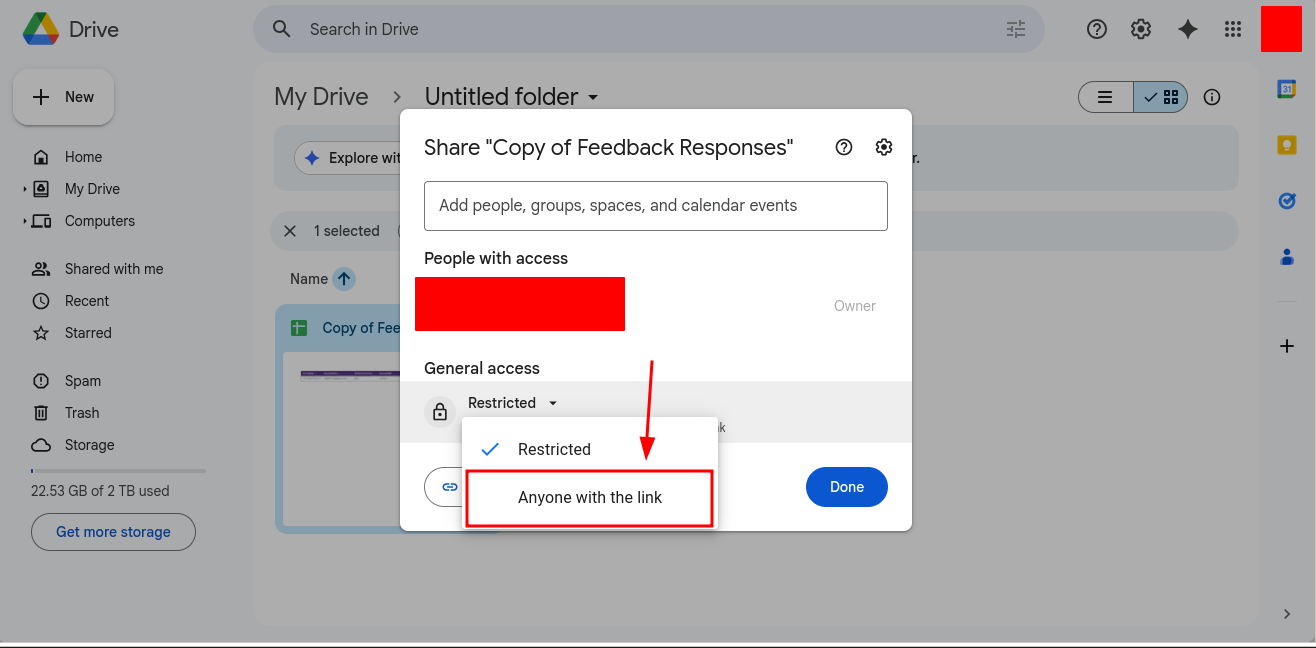
- Share setting must be “Anyone with the link” for downloads to work broadly.
- If you revoke access, old direct links will fail—plan versioning if you update frequently.
- Do not share sensitive images or PDFs publicly; direct links are meant for content you are comfortable distributing.
Optional: add a checksum
For important PDFs or brand assets, publish a short checksum (SHA-256) next to the link. This helps people verify integrity when downloading from slow networks.
Takeaway
Direct download links are perfect when you want users to save a file. Convert the share URL with DriveDirect Gen, keep filenames clean, and add a simple download button. Your images and PDFs will land exactly where they should—on your audience’s device.
Related guides
- Embed direct-download buttons to present these links cleanly on your site.
- Share downloads in Classroom and LMS platforms without previews.
- Turn your links into QR codes for posters, slides, and events.
- Fix Drive “quota exceeded” errors when a popular PDF or image gets throttled.